


Comikaze - Create Comics Manga
3.914.00 Reviews
App Specs
- Version
- 1.0.7
- Updated On
- License
- Free
- Downloads
- 10,000+
- Developer
- Appricott Dijital Teknoliji ve Yazilim A.S.
- Categories
- Comics
- Platform
- Android
Screenshots
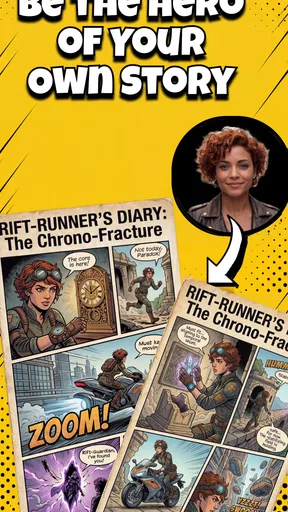
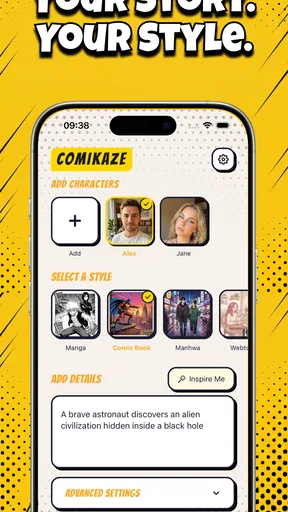
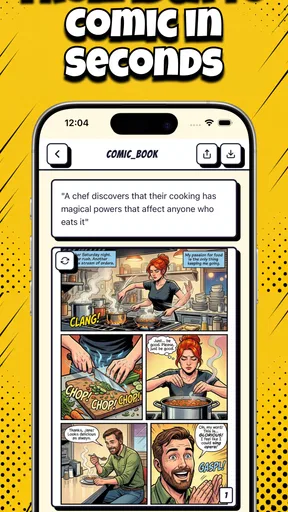
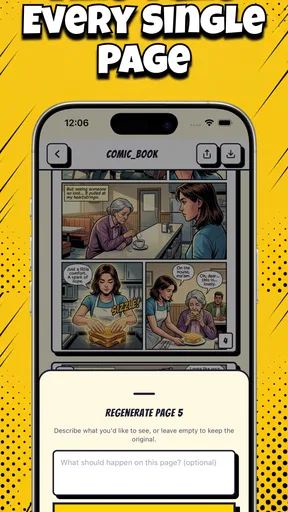
 Analysis by AppCompare
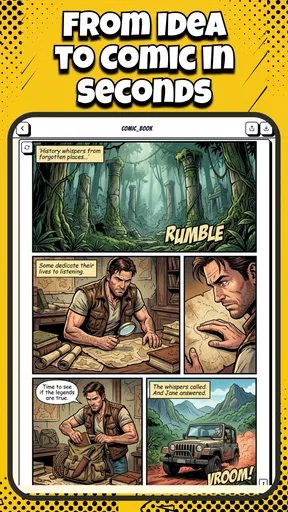
Have you ever dreamed of creating your very own comic or manga? If so, let me introduce you to Comikaze - Create Comics Manga. This app is like having a mini studio right in your pocket, and it’s perfect for anyone from budding artists to seasoned storytellers.
The Creative Toolbox
First things first, let’s talk about the toolset that Comikaze offers. This app is loaded with features that let you bring your imagination to life. Whether you’re into superheroes, fantasy adventures, or slice-of-life stories, there’s something here for everyone. The app provides a wide range of brushes, customizable pens, and colors that mimic real-world art supplies. You can sketch, ink, and color your panels all within the app, which is super convenient.
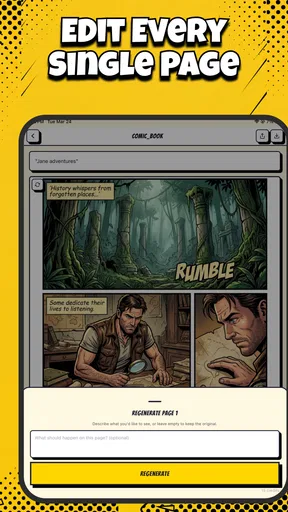
One of my favorite features is the layer management system. It’s incredibly intuitive, allowing you to easily stack and organize your work. This makes editing and refining your art a breeze. Plus, the app supports high-resolution exports, so your masterpieces retain their quality when you share them or print them out.
Storyboarding Made Easy
Creating a compelling story is just as important as the art itself, and Comikaze doesn’t disappoint in this department. The app includes a storyboard feature that helps you plan out your narrative with ease. You can lay out your panels, add text, and structure your story flow, all while keeping everything neatly organized. It’s like having a personal assistant to help you keep track of your ideas.
The text tool is another highlight. It offers various fonts and styles, so you can match the tone of your dialogue to the mood of the scene. Whether you’re crafting epic monologues or quirky one-liners, the app has you covered.
Community and Sharing
One thing I absolutely love about Comikaze is its community aspect. Within the app, there’s a vibrant community of artists and writers who share their work and provide feedback. It’s a great place to get inspired, learn new techniques, and even collaborate with others on projects. Plus, the app makes it easy to share your work on social media platforms, so you can showcase your creations to the world.
Additionally, Comikaze regularly hosts themed challenges and contests, which are fantastic for pushing your creative boundaries and gaining recognition for your work. It’s a fun and engaging way to stay motivated and improve your skills.
Worth Reading Before You Choose

Flipboard Shows What News Apps Must Do Beyond the Feed

Switching to Android Auto Means Rethinking Your Driving Routine

Google Calendar Makes a Crowded Week Easier to Manage

Ludo King Makes the Most of the Minutes Between Plans

Baby Panda World Brings Quick Play to Modern Phones, but Its Game Library Feels Busy

ESPN’s Live Game View Makes Following Close Games Easier
Usability and Interface
Now, let’s talk about the user experience. The interface of Comikaze is sleek and user-friendly. Everything is laid out logically, so you won’t find yourself fumbling around trying to locate tools or features. Even if you’re new to digital art, the learning curve is gentle, and there are plenty of tutorials and tips available within the app to help you get started.
One slight hiccup might be for those using smaller screens, as some tools can feel a bit cramped. However, the app runs smoothly on both Android and iOS, and it’s optimized for tablets, which I highly recommend for the best experience.
Final Thoughts
In conclusion, Comikaze - Create Comics Manga is a fantastic app for anyone interested in creating comics or manga. It’s packed with features that cater to both the art and storytelling aspects of comic creation, and it does so in a way that’s accessible and fun. If you’ve ever wanted to dive into the world of comics, this app is a great place to start. So go ahead, download it, and unleash your creativity!
Pros
- User-friendly interface for all skill levels.
- Wide range of tools for comic creation.
- Supports both manga and western styles.
- Includes templates for quick starts.
- Regular updates with new features.
Cons
- Limited export options in free version.
- Occasional lag on older devices.
- In-app purchases can be pricey.
- No offline mode for editing.
- Lacks advanced photo editing tools.
FAQs for Comikaze - Create Comics Manga
What is Comikaze - Create Comics Manga?
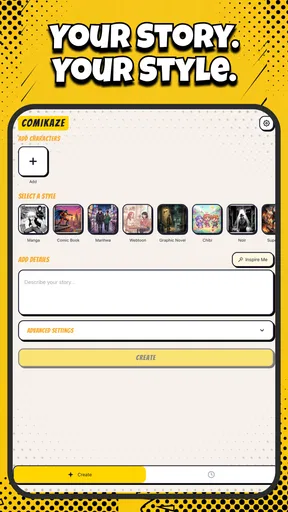
Comikaze is a creative app designed for both amateur and professional artists to craft stunning comics and manga. It offers a variety of tools, including customizable panels, speech bubbles, and a wide range of drawing tools. Users can create original stories with ease and share them instantly.
Is Comikaze suitable for beginners?
Yes, Comikaze is beginner-friendly. It features intuitive controls and tutorials to guide new users through the comic creation process. The app provides templates and pre-made assets to help users start creating without extensive art skills, making it accessible for all experience levels.
What features does Comikaze offer?
Comikaze offers a comprehensive suite of features including layer support, a rich color palette, customizable brushes, and templates. Users can import their own images, use text tools for dialogue, and access a library of backgrounds and characters. It also supports multiple export options for sharing or publishing.
Is Comikaze free to use?
Comikaze offers a free version with basic features, but also provides premium options that unlock additional tools and assets. The premium subscription offers enhanced capabilities such as high-resolution exports and exclusive content, catering to more serious artists who want to expand their creative potential.
Can I share my creations from Comikaze?
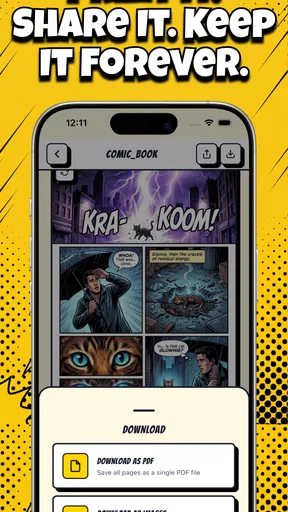
Absolutely! Comikaze allows users to export their comics in various formats suitable for social media, print, or digital publishing. You can share your artwork directly from the app to platforms like Instagram or Facebook, or save them to your device for later use. This makes it easy to distribute your creations to a wider audience.


